
AS215085 logo PixelHosting logo

PxlDNS

The public DNS resolver of PixelHosting. Fast, reliable and encrypted, running on our own network AS215085.

DNS server addresses

Use these addresses in your router, operating system or network devices. Set both the primary and the secondary for redundancy.

Primary ADNS

IPv483.142.31.2
IPv62a06:9f41::2

Secondary BDNS

IPv483.142.31.3
IPv62a06:9f41::3

Encrypted DNS (DoT & DoH)

Standard DNS is sent in plain text, so anyone on the network path can see which sites you look up. With DNS-over-TLS and DNS-over-HTTPS your queries are encrypted between your device and PxlDNS.

DNS-over-TLS port 853

Prim.a.pixelhosting.nl
Sec.b.pixelhosting.nl

DNS-over-HTTPS URL

Globalhttps://dns.pxldns.nl/dns-query
Prim.https://a.pxldns.nl/dns-query
Sec.https://b.pxldns.nl/dns-query

DNS Stamps (sdns://)

For clients that support DNS Stamps for DoH, such as dnscrypt-proxy, use one of these strings.

Global (dns.pxldns.nl)

DoHsdns://AgcAAAAAAAAAAAANZG5zLnB4bGRucy5ubAovZG5zLXF1ZXJ5

Primary (ADNS)

IPv4sdns://AgcAAAAAAAAACzgzLjE0Mi4zMS4yAAthLnB4bGRucy5ubAovZG5zLXF1ZXJ5
IPv6sdns://AgcAAAAAAAAADlsyYTA2OjlmNDE6OjJdAAthLnB4bGRucy5ubAovZG5zLXF1ZXJ5

Secondary (BDNS)

IPv4sdns://AgcAAAAAAAAACzgzLjE0Mi4zMS4zAAtiLnB4bGRucy5ubAovZG5zLXF1ZXJ5
IPv6sdns://AgcAAAAAAAAADlsyYTA2OjlmNDE6OjNdAAtiLnB4bGRucy5ubAovZG5zLXF1ZXJ5

Setup guides

Pick your device or browser below. For DoH we recommend the global address https://dns.pxldns.nl/dns-query.

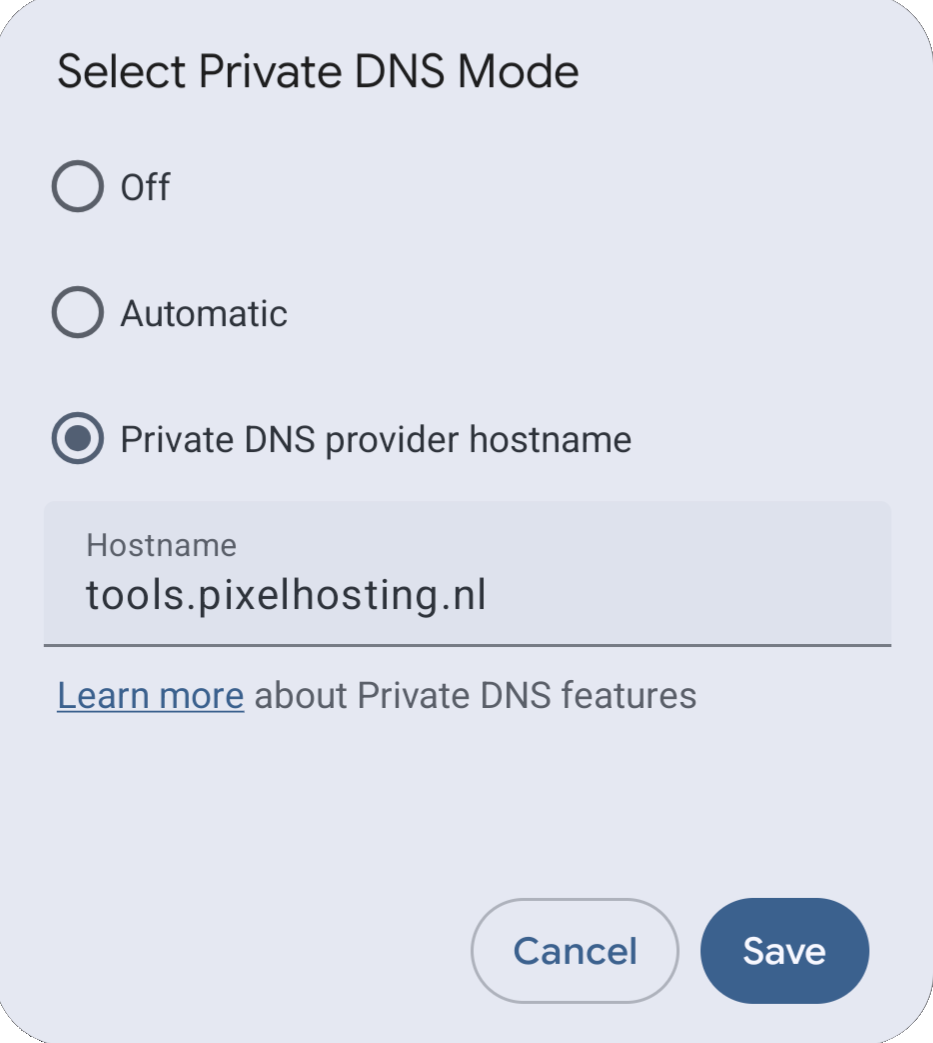
Android (Private DNS / DoT)

Android 9 and newer support DNS-over-TLS natively via Private DNS. Android needs the hostname, not the DoH URL.

  1. Open Settings > Network & internet (or Connections, depending on your device).
  2. Tap Private DNS.
  3. Select Private DNS provider hostname.
  4. Enter a.pxldns.nl (or b.pxldns.nl).
  5. Tap Save.
Android Private DNS configuration with PxlDNS

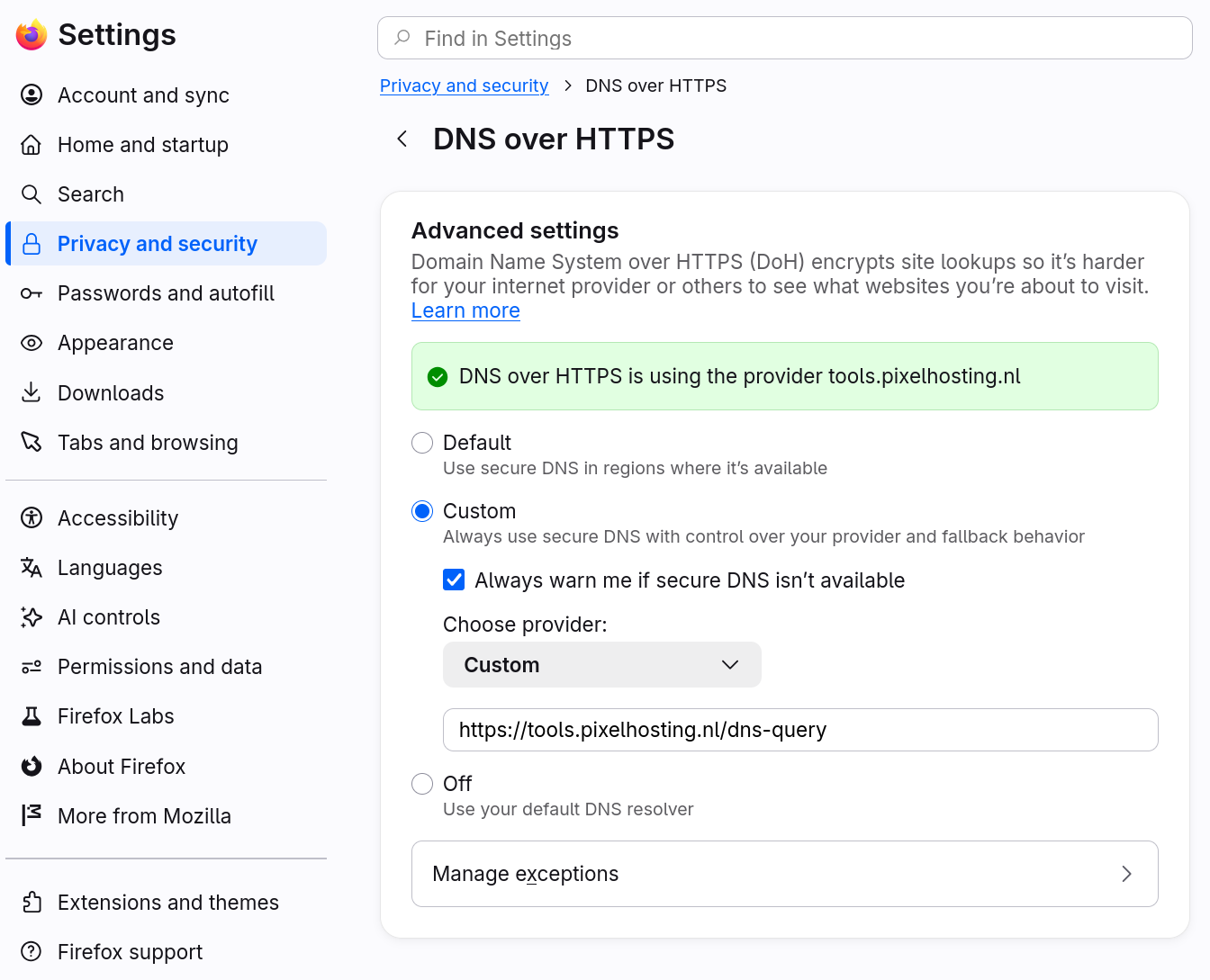
Mozilla Firefox (DoH)

  1. Go to Settings > Privacy & Security and scroll to DNS over HTTPS.
  2. Choose Max Protection or Custom.
  3. Under "Choose provider", select Custom.
  4. Enter https://dns.pxldns.nl/dns-query.
Firefox custom DNS-over-HTTPS setting with PxlDNS

This only applies to Firefox. Other apps keep using the DNS server from your network settings.

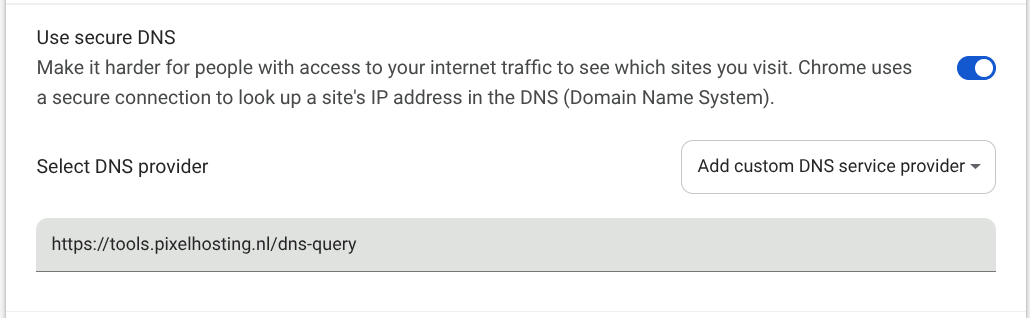
Google Chrome (DoH)

  1. Go to Settings > Privacy and security > Security and scroll to Use secure DNS.
  2. Turn on Use secure DNS.
  3. Select Add custom DNS service provider.
  4. Enter https://dns.pxldns.nl/dns-query.
Chrome custom secure DNS setting with PxlDNS

Windows 11 (DoH)

  1. Open Settings > Network & internet and choose Wi-Fi or Ethernet, then your connection.
  2. Next to DNS server assignment, click Edit and select Manual.
  3. Turn on IPv4, set Preferred DNS to 83.142.31.2 and Alternate DNS to 83.142.31.3.
  4. Set DNS over HTTPS to On (manual template): https://a.pxldns.nl/dns-query for .2 and https://b.pxldns.nl/dns-query for .3.
  5. Repeat for IPv6 with 2a06:9f41::2 and 2a06:9f41::3, then click Save.

Router or other devices (standard DNS)

Log in to your router or device, open the DNS / WAN / DHCP settings and enter the addresses from Servers. Setting it on your router covers every device in your home network.

About PxlDNS

PxlDNS is operated by PixelHosting, a Dutch hosting provider from Doetinchem, and runs on its own network AS215085.